Appearance
How to Add Limit Rules
This guide will walk you through how to create new a limit rule in Uppush to control customer purchases.
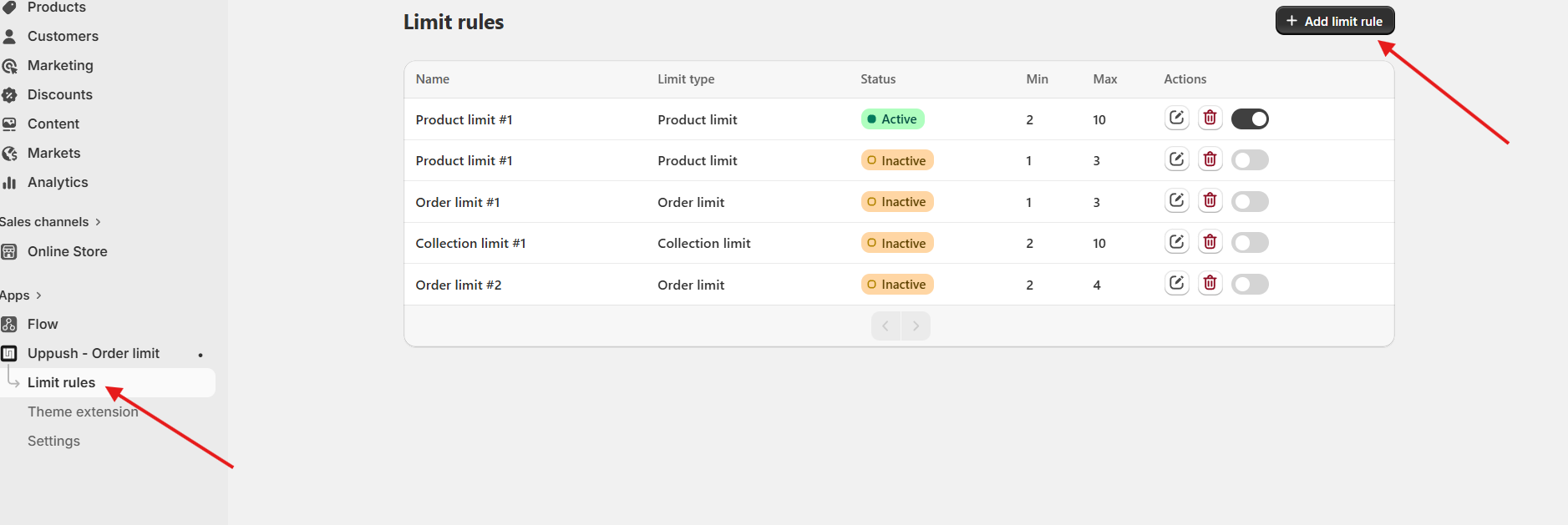
Step 1: Go to Limit rules tab
- Open
Uppush - Order Limitapp - Navigate to
Limit rules - Click
Add limit rule
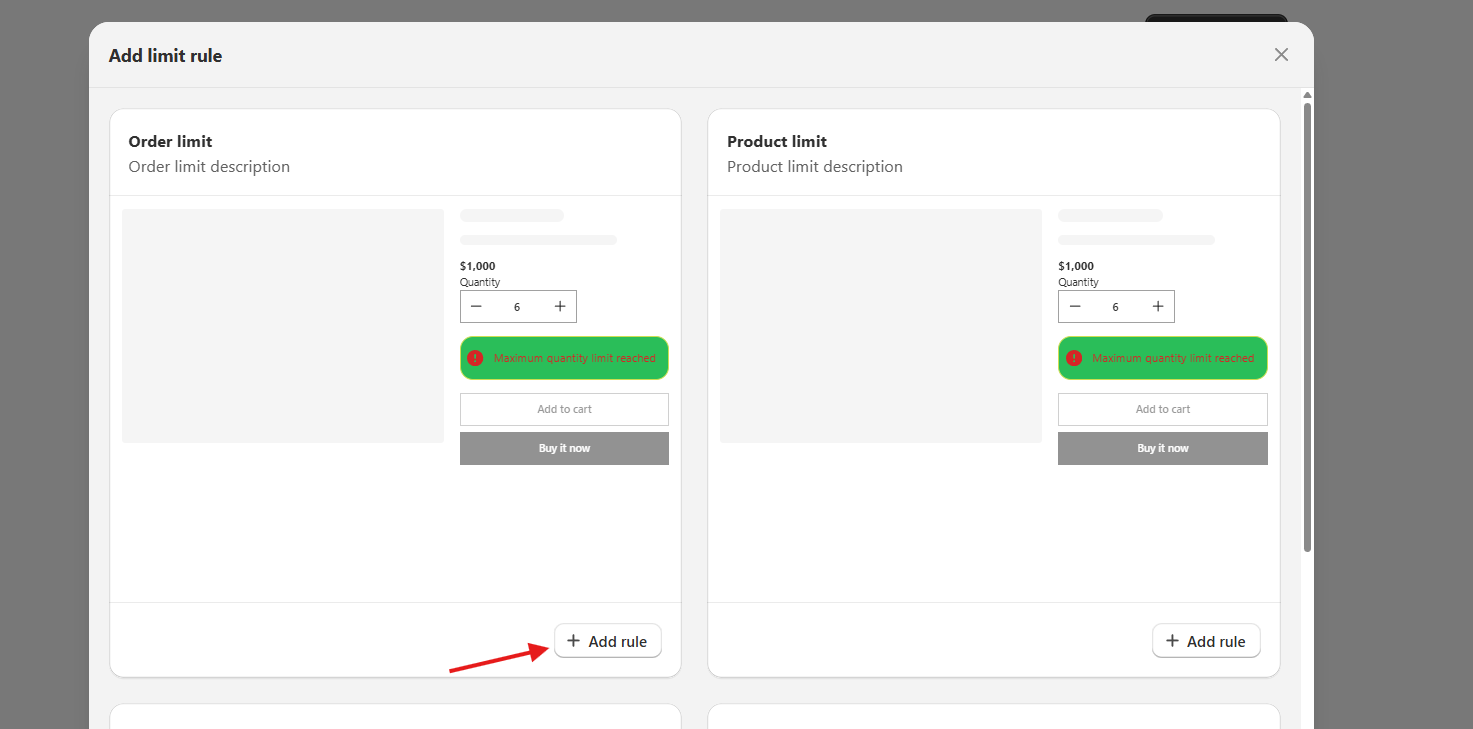
Step 2: Choose rule type
Select what you want to limit:
- Order Limit
- Product Limit
- Collection Limit
- Mutual exclusion rule
Then Click Add limit to continue.